

Key Takeaways
- Jobsite IT support has to cover the site as well as the office, because the site is where the technology plan usually stops.
- The most expensive technology failure on a project is rarely a crashed server. It is somebody building from a superseded drawing.
- Payment fraud targets construction for structural reasons: large payments between parties who coordinate by email on predictable schedules.
- Field devices wear out faster and go missing more often, which makes fleet management a requirement rather than a nicety.
- In this region, continuity planning is seasonal and specific rather than theoretical.
- Downtime in construction can mean a crew standing idle on a schedule with liquidated damages attached.
Most IT providers design for a building with a front door, a server closet and people who sit at the same desk every day. Construction does not look like that. Your business runs out of an office, several active sites, a handful of trucks and whatever the project manager has on their phone at seven in the morning.
That mismatch is why so many contractors end up frustrated with support that looks perfectly competent on paper. The office runs fine. It is everything outside the office that keeps breaking. Good jobsite IT support starts from the opposite assumption: the jobsite is the hard part and the office is the easy part.
Here is what jobsite IT support should actually cover for a contractor operating in Greater New Orleans.
Jobsite IT Support Has to Start at the Site
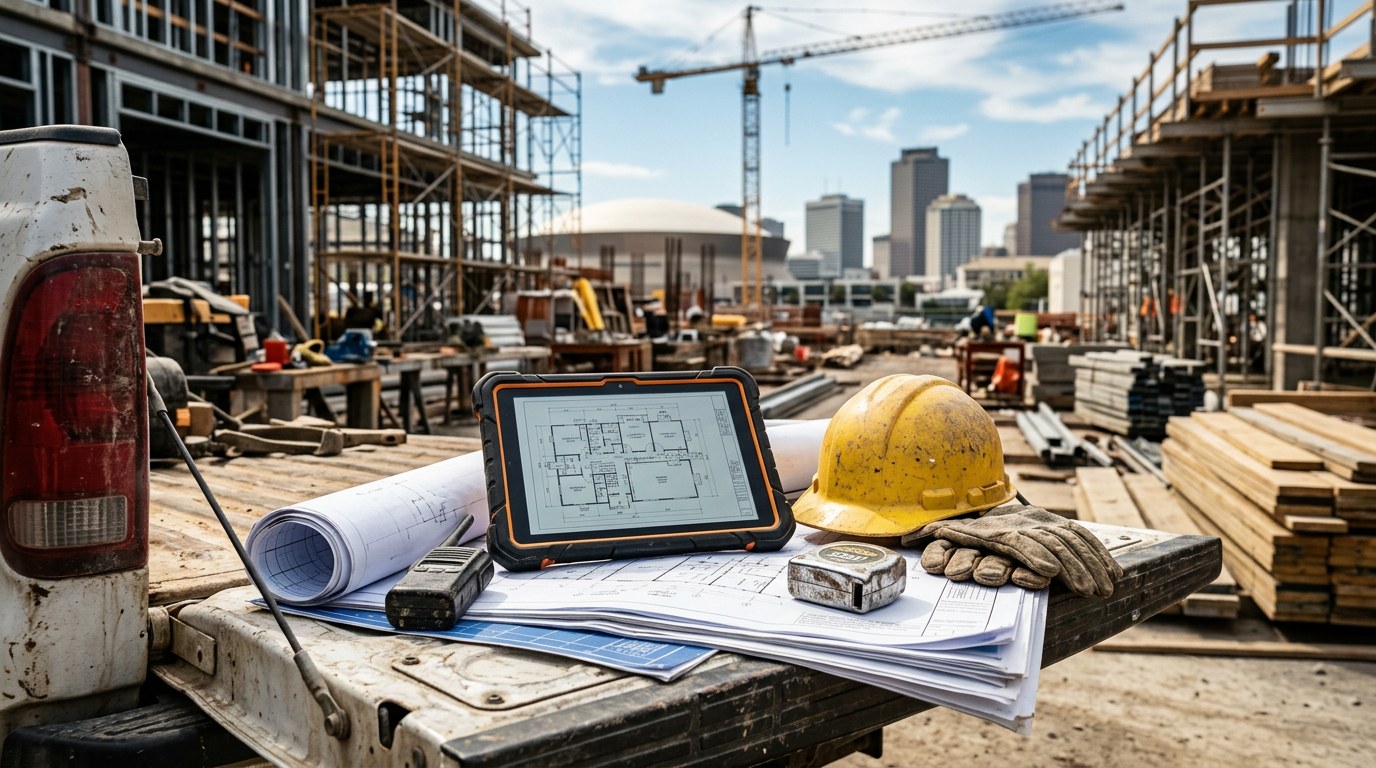
A jobsite has to function like a workplace from the day the trailer arrives. People need drawings, submittals, RFIs, photos, timesheets and schedules. What they do not have is structured cabling, a server, a designed wireless network or anyone on site whose job is technology.
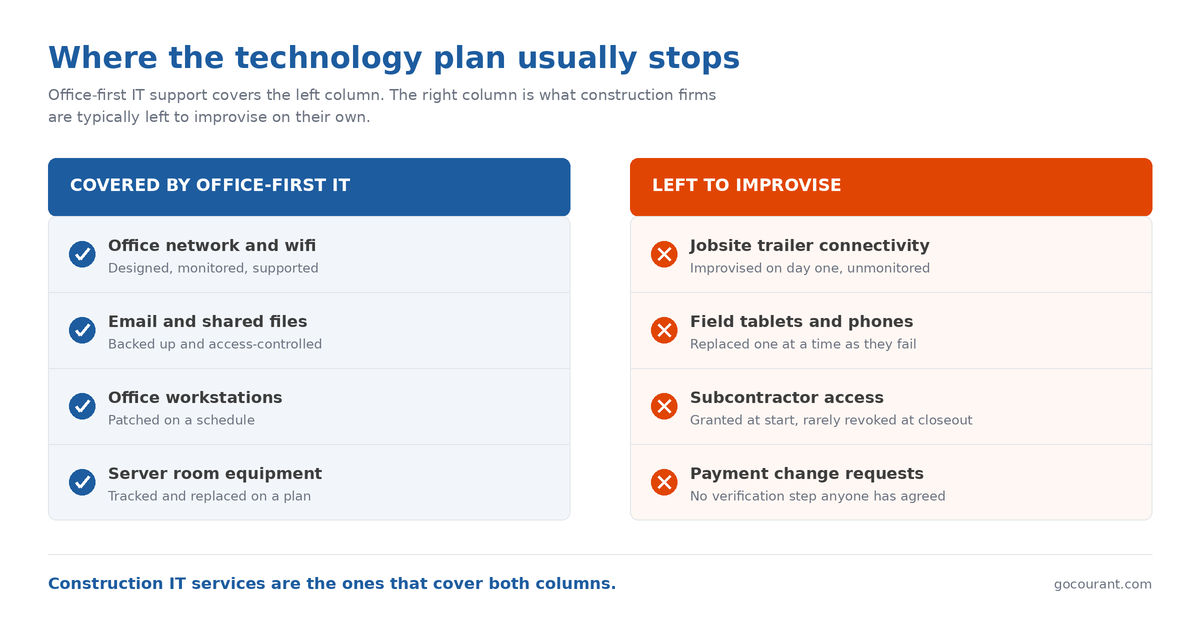
So the site improvises. Somebody’s phone becomes the hotspot. A consumer router appears in the trailer, plugged into whatever internet was arranged. Files get passed around by text message, because that is what works when you are standing in mud. None of that is unreasonable. It is what happens when the technology plan stopped at the office door.
Everyone Is Looking at a Drawing, But Is It the Right One?
The most expensive technology failure in construction is rarely a crashed server. It is somebody building from a superseded drawing.
The mechanics are mundane. A revision goes out. Most of the team picks it up. One person is working from a set they downloaded on Tuesday, or a PDF a subcontractor forwarded, or a printout pinned to the trailer wall. Nothing alerted anybody, because the file they are holding does not know it has been replaced.
Preventing that is partly a software question and partly an IT one. The software side is a single system of record the field genuinely uses. The IT side is everything that makes it usable in practice: devices that can reach it from site, sign-in that works when a phone has one bar, offline access that syncs when the connection returns, and access that is granted when a subcontractor joins and revoked when they leave.
Construction Is a Target for Payment Fraud, and the Reason Is Structural
Construction projects involve large payments moving between parties who mostly coordinate by email, often on schedules everyone knows in advance. That combination is exactly what payment fraud is built around.
The scale is not speculative. The FBI’s Internet Crime Complaint Center reported more than $55.4 billion in domestic and international exposed losses from business email compromise across incidents reported between October 2013 and December 2023. That figure spans every industry rather than construction specifically, but the mechanism it describes, a convincing email requesting changed banking details, maps uncomfortably well onto how a draw or a subcontractor payment gets processed.
Devices That Live in Trucks, Mud and August Heat
Field hardware takes a beating office equipment never sees. Tablets get dropped. Phones get wet. Laptops ride in a truck cab through a Louisiana summer. Devices get lost on site, and occasionally they get stolen.
Two things follow. The first is lifecycle: field devices wear out faster, and a firm that replaces them one at a time as they fail ends up with an unmanageable mix of models, operating system versions and configurations. The second is control: when a device that can reach project data goes missing, you need to do something about it remotely rather than hope for the best. Neither is solved by buying more rugged equipment, though that helps. Both are solved by managing the fleet as a fleet, which is one of the less glamorous parts of jobsite IT support and one of the most useful.
Weather Is a Business Continuity Issue Here, Not a Hypothetical
Every construction firm should have a continuity plan, and in practice most of it lives inside your construction IT services rather than in a binder. Firms in this region have a more specific version of that obligation, because the threat is seasonal, named and gives you a few days of notice.
The questions are practical. If the office is inaccessible for two weeks, can the business still invoice, pay people and respond to clients? If a site floods, where do the photographs, daily reports and as-built records live? Are your project files somewhere they survive the loss of the building, and has anybody tested getting them back? Keeping the team coordinating through a disruption is its own advantage, which is where business communication solutions such as hosted phones and Microsoft Teams stop being a convenience and start being continuity.
Idle Crews: Why Jobsite IT Support Focuses on Prevention
In most industries, downtime means people work slower. In construction it can mean people cannot work at all, on a schedule with liquidated damages attached.
This is why the reactive model of IT support fits construction so badly. Reactive support is priced attractively and works acceptably when the cost of a problem is inconvenience. When the cost is a crew standing around because nobody can pull up an approved drawing, the arithmetic changes completely. Preventing the outage is worth far more than fixing it quickly, and that shift from fixing to preventing is most of what separates real construction IT services from a general support contract.
How We Can Help
Courant has supported small and mid-sized businesses across Greater New Orleans since 1997, contractors among them. Our construction IT services plan for the site as well as the office, manage field devices as a fleet rather than a series of one-off purchases, and build continuity around the fact that this region loses power and access on a fairly predictable schedule.
Underneath that sit the same foundations every client gets. Our managed IT services in New Orleans cover monitoring, patching, backups and hardware lifecycle, and our cybersecurity services in New Orleans handle the access controls, staff training and payment verification processes that matter when project money is moving between parties by email.
We also know the difference between a problem that can wait until Monday and one with a crew standing idle behind it. The most useful next step is not reading another article. It is establishing what your business would actually do this week if the trailer lost connectivity on your largest project, or if somebody emailed your bookkeeper asking to update a subcontractor’s bank details. Schedule a 15-minute consultation and we will work through those against your real setup, or contact our New Orleans team if you would rather start with a question. You will come away knowing where you are covered and where you are exposed, which is worth knowing regardless of who ends up doing the work.
Frequently Asked Questions
What does jobsite IT support cover that general IT support does not?
The site. General support is built around a fixed office with managed infrastructure. Jobsite IT support plans site connectivity as part of mobilization, manage devices that live in trucks and on sites, handle subcontractor access across the life of a project, and build continuity around the field rather than only the server room.
How should a jobsite trailer get online?
Deliberately, with a decision made before mobilization rather than improvised on day one. That means a primary connection appropriate to the site, a defined fallback when it drops, devices that authenticate properly, and a known number to call when it stops working. The specifics vary by site, but the planning should not.
How do we stop crews building from outdated drawings?
One system of record the field actually uses, plus the IT conditions that make it usable: devices that reach it from site, sign-in that works on a weak signal, offline access that syncs when the connection returns, and a habit of removing the side channels where superseded PDFs circulate.
Why is construction targeted for payment fraud?
Because the money is large, the parties coordinate by email, and the payment schedule is often predictable. An attacker does not need anything sophisticated, only the knowledge that a payment is due and a sense of what the normal correspondence looks like. A verification call on a number you already had defeats most of it.
What should a New Orleans contractor plan for hurricane season?
Work backwards from a specific question: if the office is unreachable for two weeks, what still works? That covers invoicing and payroll, where project records live, whether they survive the loss of the building, whether the team can still coordinate, and whether anybody has tested restoring files rather than trusting a dashboard.



